PDF tool

Reduce PDF Size Online — Make Any PDF Smaller, Free

A PDF that's too heavy to attach, slow to send on WhatsApp or bounced by an upload form has one fix: make the file smaller. Choose how small — from 100KB for strict portals up to 2MB for email — and the tool reduces the PDF to fit without sending it anywhere. Phone scans and photo-heavy reports shrink the most.

To reduce PDF size, pick a target such as 500KB or 1MB, then drop the PDF in. The tool first rewrites the file losslessly and, only if that isn't enough, re-renders the pages at the sharpest quality that fits. Most scanned PDFs shrink dramatically, because phone cameras store far more detail than a page needs.

100% private — your images never leave your device. No upload, no sign-up. Check it yourself: once this page loads, it works with your internet switched off.

PDF · size you chooseon-device · not uploaded

File size — choose what your form needs

Drop your PDF here

or click to browse

accepts: PDF

Unlimited and free · processed on this device · nothing is uploaded

Sending it toSize to pickWhy
A government, exam or bank portalThe exact limit in the noticePortals reject files even slightly over
An email recipient1MB–2MBSmall enough to send fast, crisp enough to print
WhatsApp or Telegram500KB–1MBOpens instantly on a phone, light on mobile data
A printer or archiveKeep the originalCompression is for sending, not for keeping
Choosing a size by where the PDF is going
Example

What the result looks like

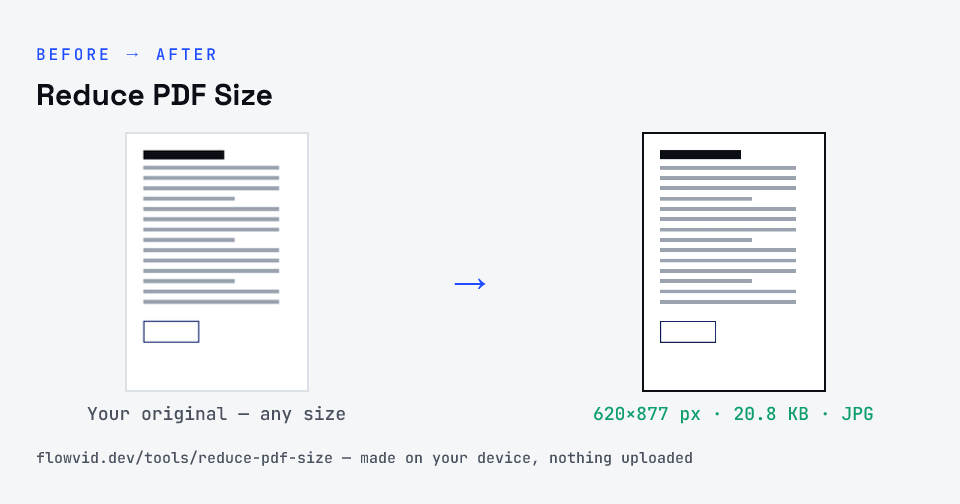
Example document page converted to JPG, 620×877 px, 20.8 KB
Example document page converted to JPG, 620×877 px, 20.8 KB.
Before and after: an original document page and the same document page made to 200 KB (20.8 KB) with Reduce PDF Size
Reduce PDF Size size guide: target 200 KB, JPG

How to reduce pdf size

  1. Drop your PDF in, or click to browse and select it.
  2. The tool tries a lossless rewrite first, then re-renders the pages if needed to get under 200KB.
  3. Check the final file size on the result card.
  4. Download your under-200KB PDF — ready to upload.

What you can use it for

  • Make a PDF small enough to attach to an email
  • Send a lighter PDF on WhatsApp over mobile data
  • Shrink a scanned document before uploading it to a portal
  • Cut the size of a photo-heavy report or brochure

Why use FlowVid Tools

  • Private by design — your PDF is processed on your own device and is never uploaded.
  • Exact size — the finished file is measured, not estimated, before you download it.
  • Free and unlimited — no daily cap, no watermark, no sign-up.

Supported formats

This tool accepts PDF as input and gives you a PDF at the size you pick as output. Everything happens on your device in seconds — your file is never uploaded, so there is nothing for anyone to keep.

Where PDF size limits show up

The size picker starts at 200KB because it is one of the most common caps on Indian document uploads — a marksheet, an ID proof or a two-page certificate set often has to come in under it.

If the file is going to a person rather than a portal, you can aim much higher: 1MB or 2MB keeps a long document crisp and is still quick to email or share on WhatsApp.

Getting a scan under the limit and keeping it readable

Size limits are shared across every page, so the single biggest lever is page count: upload only the pages the form asks for. A one-page certificate at a given limit comes out far sharper than the same limit spread over six pages.

Scan in colour only if the document needs it, keep the page flat and evenly lit, and crop away the desk around it. Less noise and less empty background leave more of the byte budget for the text itself.

What actually makes a PDF heavy

Text and vector drawings are tiny: a typed ten-page letter can weigh less than a single photo. The weight in a PDF almost always comes from images — scanned pages, photos pasted into a report, or a logo exported at print resolution. Reduce those and the file falls.

That's why a two-page scan from a phone app can be heavier than a long report from Word. The app stored each page as a full-resolution photograph; re-rendering those pages at document resolution is what takes the file from megabytes down to kilobytes.

Reduce once, from the original

Every lossy pass costs a little sharpness, so always reduce the original PDF rather than one that's already been shrunk. If you need several versions — a 2MB copy to email and a 200KB copy for a portal — make each one from the original by switching the size above the upload box; the tool keeps the file loaded and re-runs it.

FAQ

Frequently asked questions

01

Will the PDF really be under 200KB?

Yes. The tool measures the complete finished PDF and only hands it over once it is at or below 200KB, counted in decimal kilobytes (1 KB = 1,000 bytes) the way upload forms count it. If a document simply has too many detailed pages for 200KB, the result card says so and gives you the smallest readable version instead of failing silently.
02

How do I reduce PDF size without losing quality?

Pick the largest size you can use. At 1MB or 2MB many PDFs only need the lossless step, which keeps the pages exactly as they were, text included. Quality only drops when the target forces pages to be re-rendered, and even then the tool lowers resolution before JPEG quality.
03

Why is my one-page scan several megabytes?

Scanning apps often save each page as a full-resolution photo. A 12-megapixel image holds far more detail than an A4 page of text needs, so re-rendering it at document resolution usually shrinks it many times over while staying readable.
04

Can I reduce a PDF's size to send on WhatsApp?

Yes. WhatsApp accepts large documents, but a smaller PDF sends faster on mobile data and opens quicker for the person receiving it. 1MB is a good choice for a few pages, and the reduced file downloads straight to your phone, ready to share.
05

Does this work on a PDF made in Word or Excel, not just scans?

Yes, though the gains are smaller. A PDF exported from an office app is mostly text and vector graphics, which are already compact; big savings come from embedded photos. If a digital PDF has none, choose a size it can reach comfortably so the lossless step can do the work and the text stays selectable.
06

How does it make the PDF smaller without wrecking it?

In three steps, stopping at the first that works. If your PDF is already under the limit, it's returned untouched. Next it tries a lossless rewrite of the file structure, which keeps text selectable. Only if that isn't enough does it re-render each page as an image and search for the sharpest resolution and JPEG quality that still fits — reducing resolution before quality, so pages go slightly soft rather than blocky.
07

Will the text in my PDF still be selectable?

If the lossless step is enough, yes. If the pages have to be re-rendered to reach the size, the text looks the same but becomes part of the page image, so it can't be selected or searched. Upload portals only need the document to be readable, so this doesn't affect acceptance — but keep your original if you need editable text later.
08

Is my PDF uploaded to a server?

No. The PDF is opened and compressed inside your browser, on your own phone or computer — it is never sent to our servers or anyone else's. That matters for the documents people usually shrink: Aadhaar and PAN copies, marksheets, bank statements and signed forms.
09

Is there a limit on files or pages?

There is no daily limit and no sign-up. Because the work happens on your device, a very long PDF simply takes a little longer on an older phone — and the more pages share a small size limit, the softer each page gets.
Related

More tools you might need

Edit & resize

Resize, crop, rotate & compress PDF

Jump to a size

Compress to a specific size