Government tool

SSC Signature Resizer — 6cm × 2cm, 10–20 KB

Get your signature ready for any SSC application in one step. This tool fits your signed scan to 6.0 cm × 2.0 cm — 709×236 pixels at 300 DPI — and lands the JPG inside SSC's 10–20 KB window, the band the portal actually checks. The same file works across CGL, CHSL, MTS, GD, CPO and Selection Post, because SSC reuses your One Time Registration signature. Your signature is processed on your device and never uploaded.

SSC asks for the signature as a JPG measuring 6.0 cm × 2.0 cm — about 709×236 pixels at 300 DPI — sized between 10 KB and 20 KB. Sign in black ink on plain white paper, scan or photograph it, and this tool fits it to that size on a white background and lands the file inside the 10–20 KB window.

100% private — your images never leave your device. No upload, no sign-up. Check it yourself: once this page loads, it works with your internet switched off.

709×236 ≤ 20 KBon-device · not uploaded

Sign on plain white paper and take a straight photo — the tool crops to your signature and whitens the paper.

Drop your image here

or click to browse

accepts: JPG, PNG, WebP, HEIC

Unlimited and free · processed on this device · nothing is uploaded

Width
709 px
Height
236 px
File size
10–20 KB
Format
JPG

Partly verified · last checked 7 Nov 2026

SSC's main 'how to apply' instructions give the signature as 6.0 × 2.0 cm (≈709×236 px at 300 DPI), JPG, 10–20 KB. Some notice annexures print 4.0 × 2.0 cm instead; the height and the 10–20 KB range are the same either way. Verified against the 2026 CGL/CHSL/MTS/GD notices via the SSC portal — confirm the figure beside your form's upload box before submitting.

Notices change between cycles — if yours says something different, follow your notice.

Compare every exam's photo & signature size →

ItemDimensionsFile sizeFormat
Signature (main instructions)6.0 × 2.0 cm ≈ 709×236 px10–20 KBJPG
Signature (4.0 cm variant, some annexures)4.0 × 2.0 cm ≈ 472×236 px10–20 KBJPG
Photographpassport style — see the SSC photo resizer20–50 KBJPG
What SSC asks for. The pixel figures are the 300 DPI equivalent of SSC's centimetre spec — SSC states centimetres, not pixels. Always confirm against your exam's current official notice before submitting.
Example

What the result looks like

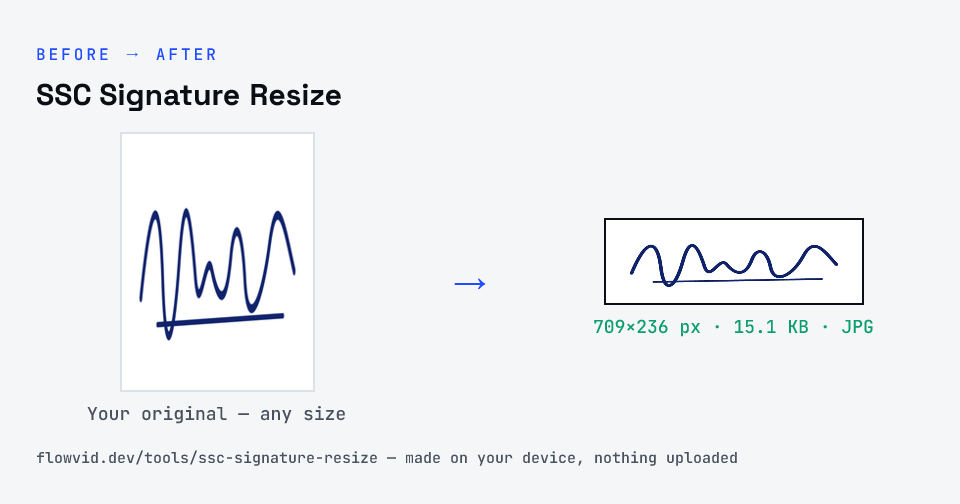
Example SSC Signature signature resized to 709×236 px (6.0 × 2.0 cm at 300 DPI), 15.1 KB JPG
Example SSC Signature signature resized to 709×236 px (6.0 × 2.0 cm at 300 DPI), 15.1 KB JPG.
Before and after: an original signature and the same signature made to 709×236 px (15.1 KB) with SSC Signature Resize
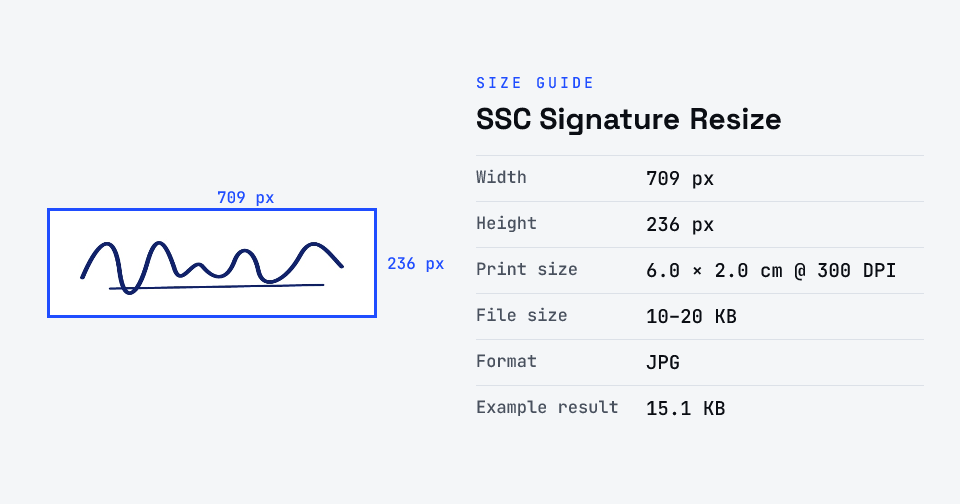
SSC Signature Resize size guide: 709 × 236 px (6.0 × 2.0 cm at 300 DPI), 10–20 KB, JPG

How to ssc signature resize

  1. Upload your photo or signature.
  2. The tool resizes it to 709×236 px and compresses it to the required size.
  3. Preview the result and check the dimensions and file size.
  4. Download the ready-to-upload file.

What you can use it for

  • SSC One Time Registration (OTR) signature upload
  • SSC CGL, CHSL, MTS, GD, CPO and Stenographer applications
  • SSC Selection Post and Junior Engineer applications
  • Re-uploading a signature rejected as too small, too large or wrong size

Why use FlowVid Tools

  • Private by design — your image is processed on your own device and is never uploaded to any server.
  • Completely free and unlimited — no daily cap, no watermark, no sign-up.
  • Fast — drop your image, get the result in seconds. No queues, no waiting.

Supported formats

This tool accepts JPG, PNG, WebP, HEIC as input and gives you a 709×236 px as output. Everything happens on your device in seconds — your file is never uploaded, so there is nothing for anyone to keep.

SSC signature size: centimetres, pixels and KB

SSC states the signature spec in centimetres — 6.0 cm wide by 2.0 cm high — with a file-size window of 10 to 20 KB in JPG. It does not publish a pixel size, which is why every tool quotes a different number: the conversion depends on the scanning resolution. At 300 DPI, 6.0 × 2.0 cm is about 709×236 pixels; at 200 DPI it is about 472×157 pixels. Either satisfies the centimetre spec, and 300 DPI is the safer choice because it leaves more detail for the compressor.

The 3:1 proportion matters most. A signature squeezed into a square box looks stretched, and verification officers compare the uploaded image against your signature on the admit card and answer sheet. This tool fits your scan inside a 709×236 frame without distorting it, padding with white where your crop is a different shape, so the handwriting keeps its natural proportions.

Why the 10 KB floor catches people out

Most guidance treats the limit as a ceiling — get under 20 KB and you are done. SSC's window has a floor too, and a signature is exactly the kind of image that falls through it: two colours, large flat areas of white, very little detail, which is the easiest possible case for JPEG. A tightly cropped signature at the correct dimensions can encode to 5 or 6 KB at full quality, and the portal will refuse it for being under 10 KB.

Once the dimensions are fixed by the form, there are only two honest ways to add bytes: spend them on image quality, or pad the file losslessly. This tool does the first as far as the 20 KB ceiling allows, and only pads if the file is still short.

One signature for every SSC exam

SSC's One Time Registration means you register once and reuse the same profile — photograph and signature included — for every subsequent exam: CGL, CHSL, MTS, GD Constable, CPO, Stenographer, Junior Engineer and Selection Post. So the signature you prepare here is a file you prepare once and keep, not a per-exam chore.

That also means a bad signature follows you. If yours was accepted at registration but questioned at document verification, correct it in your OTR profile rather than at the next application, and keep the file you uploaded so you can match it if asked.

FAQ

Frequently asked questions

01

What is the SSC signature size in pixels for 6cm x 2cm?

About 709×236 pixels. SSC publishes the signature spec in centimetres — 6.0 cm wide by 2.0 cm high — and scanning at 300 DPI converts that to 6.0 ÷ 2.54 × 300 ≈ 709 px wide and 2.0 ÷ 2.54 × 300 ≈ 236 px high. Scanning at 200 DPI instead gives roughly 472×157 px, which is also accepted; the centimetre figure is what the notice specifies.
02

What is the SSC signature size in KB?

Between 10 KB and 20 KB as a JPG. Both ends matter: the portal rejects a signature over 20 KB, and it also rejects one under 10 KB, which catches people out because a clean black-on-white signature compresses very efficiently. This tool targets the top of that window for the sharpest file that still fits, and lifts the file above 10 KB if it would otherwise come out too small.
03

Is the SSC MTS signature size different from CGL, CHSL or GD?

No. SSC runs a single One Time Registration profile, so the same 6.0 × 2.0 cm, 10–20 KB JPG signature is used for MTS, CGL, CHSL, GD, CPO, Stenographer and Selection Post. Prepare it once and it will pass on every SSC application unless a specific notice says otherwise.
04

Some SSC notices say 4.0 cm × 2.0 cm — which should I use?

Use 6.0 cm × 2.0 cm unless the upload box on your form says otherwise. Several SSC notices give 6.0 cm in the main 'how to apply' instructions but 4.0 cm in an annexure. Both are the same height, so a 6.0 cm signature cropped tighter becomes a 4.0 cm one; the file-size window is 10–20 KB either way.
05

Why was my signature rejected even though the file size was right?

Usually it is not the file size. SSC rejects signatures written in block capitals rather than running hand, signed in a colour other than black, not horizontally aligned, cropped so tightly that part is cut off, or too faint to read. Re-sign on plain white paper in black ink, keep the baseline level, and leave a small white margin.
06

Will there be white space around my signature?

No. The tool finds your signature on the page, crops to it and turns the paper pure white, so the signature fills the box — even from a phone photo of a whole sheet with shadows. If it picks the wrong area, tap Adjust crop and drag the frame; what's inside the frame is exactly what you download. If you upload a photo instead of a signature, it fills the box with no white borders.
07

Is my photo uploaded anywhere?

No. The tool runs inside your browser, so your photo is read and processed on your own phone or computer and never sent to our servers or anyone else's. We never receive it, so we can't see, keep or share it — which makes it safe for sensitive documents like Aadhaar, PAN, passports and bank statements.
08

Is this tool really free? Is there a daily limit?

Yes, it's free with no daily limit. Because the work happens on your device, an extra photo costs us nothing — so there's no cap, no watermark and no account needed. Process as many files as you like.
Related

More tools you might need

Read next

Guides for this tool

Edit & resize

Resize, crop, rotate & compress PDF

Jump to a size

Compress to a specific size