Government tool

Photo and Signature Joiner — Merge Photo & Signature in One JPG, Free

Some application forms want your photo and signature in a single image instead of two uploads. Drop in each one and this joiner builds it for you: the photo cropped to passport proportions on top, your signature fitted whole into a clean strip below, compressed to the KB limit you pick. It runs on your device, so neither file is uploaded.

To join a photo and signature, upload the photo and the signature separately and pick the file size the form allows. The tool crops the photo to passport proportions (3.5 × 4.5 cm), places the signature in a white strip underneath, and saves both as a single JPG at 300 DPI — under the KB you chose.

100% private — your images never leave your device. No upload, no sign-up. Check it yourself: once this page loads, it works with your internet switched off.

photo + signature → one JPGon-device · not uploaded

File size — choose what your form needs

1 · Your photoFront-facing, plain light background
2 · Your signatureDark ink on plain white paper

Unlimited and free · processed on this device · nothing is uploaded

Width
413 px
Height
673 px
File size
20–200 KB
Format
JPG

Required photo dimensions and file sizes differ between forms and change over time. This tool helps you hit a common target, but always verify the exact requirement on the official form or notification before you submit.

Example

What the result looks like

Example Photo and Signature Joiner signature resized to 413×673 px (3.5 × 5.7 cm at 300 DPI), 20.7 KB JPG
Example Photo and Signature Joiner signature resized to 413×673 px (3.5 × 5.7 cm at 300 DPI), 20.7 KB JPG.
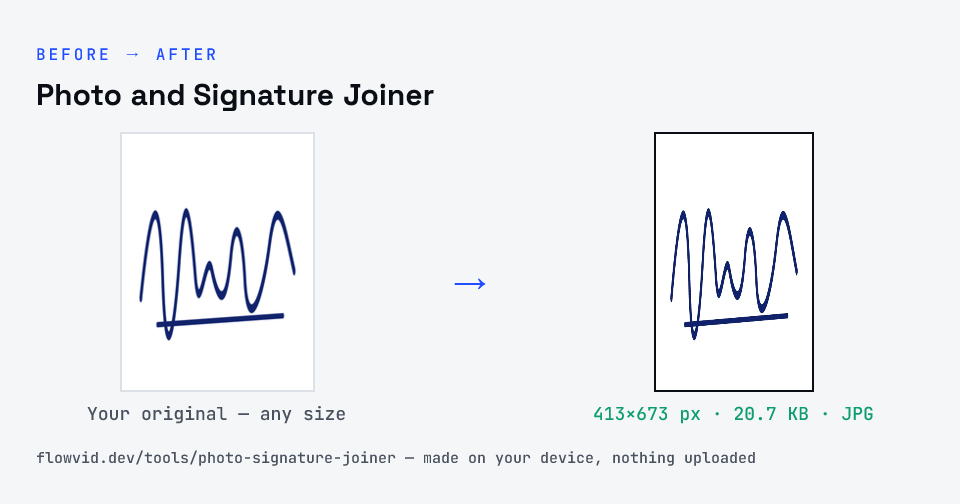
Before and after: an original signature and the same signature made to 413×673 px (20.7 KB) with Photo and Signature Joiner
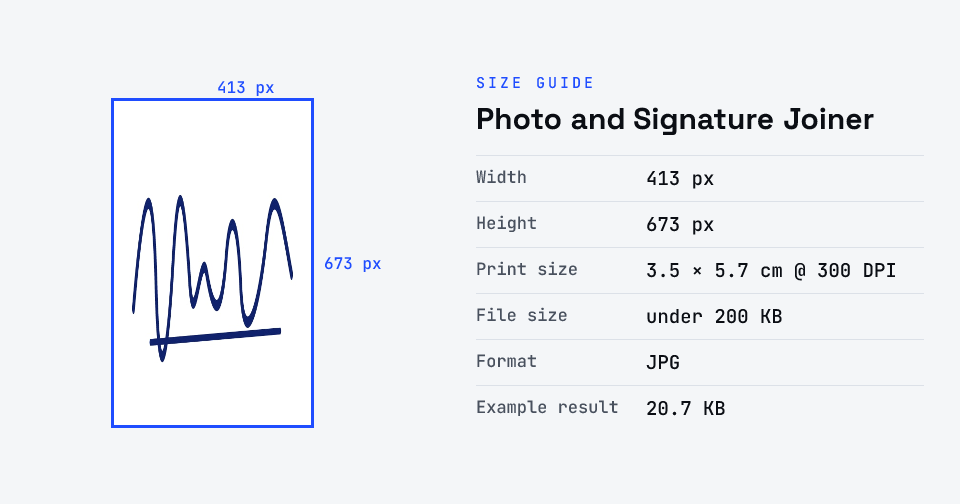
Photo and Signature Joiner size guide: 413 × 673 px (3.5 × 5.7 cm at 300 DPI), max 200 KB, JPG

How to photo and signature joiner

  1. Pick the file size the form allows.
  2. Upload your photo, then your signature (photograph it on white paper).
  3. The tool stacks them — photo on top, signature below — and compresses the result.
  4. Download the single JPG and upload it.

What you can use it for

  • Forms that ask for photo and signature in one image
  • Admit-card and verification uploads that take a single file
  • Keeping a combined photo + signature JPG for offline forms
  • Cyber-café and CSC operators preparing files for applicants

Why use FlowVid Tools

  • Private by design — your image is processed on your own device and is never uploaded to any server.
  • Completely free and unlimited — no daily cap, no watermark, no sign-up.
  • Fast — drop your image, get the result in seconds. No queues, no waiting.

Supported formats

This tool accepts JPG, PNG, WebP as input and gives you a one JPG (photo + signature) as output. Everything happens on your device in seconds — your file is never uploaded, so there is nothing for anyone to keep.

FAQ

Frequently asked questions

01

Which forms need the photo and signature joined?

It depends on the form — most national exams (UPSC, SSC, IBPS, SBI, NTA) take them as separate uploads, and some also capture a live photo. Use this joiner only when your form asks for one combined image; otherwise use the exam's own photo and signature tools.
02

What size is the joined image?

413 pixels wide: the photo fills a 413×531 area (3.5 × 4.5 cm at 300 DPI) and the signature sits in a 413×142 strip below, so the final JPG is 413×673. Pick the file size — 20KB to 200KB — and it's compressed to fit.
03

Will the signature be cut off?

No. The photo is centre-cropped to the passport shape, but the signature is always fitted whole into its strip with a white margin, so nothing is trimmed.
04

Is my photo uploaded anywhere?

No. The tool runs inside your browser, so your photo is read and processed on your own phone or computer and never sent to our servers or anyone else's. We never receive it, so we can't see, keep or share it — which makes it safe for sensitive documents like Aadhaar, PAN, passports and bank statements.
05

Is this tool really free? Is there a daily limit?

Yes, it's free with no daily limit. Because the work happens on your device, an extra photo costs us nothing — so there's no cap, no watermark and no account needed. Process as many files as you like.
Related

More tools you might need

Read next

Guides for this tool

Edit & resize

Resize, crop, rotate & compress PDF

Jump to a size

Compress to a specific size