
Compress tool

Compress JPEG to 30KB — Free JPG Size Reducer

A 30KB limit sits between the tightest photo caps and the common 50KB one, and it's forgiving enough that a well-cropped JPG barely shows any loss. Drop your JPG in and download a version just under 30KB. If your photo has already been compressed by an app or a previous upload, read the tip below before you start.

To compress a JPEG to 30KB, upload the JPG and the tool re-encodes it to just below 30 kilobytes at the best quality the limit allows. 30KB gives a passport-style photo noticeably more detail than 20KB, so faces keep natural skin tones and edges. Start from the original camera file for the cleanest result.

100% private — your images never leave your device. No upload, no sign-up. Check it yourself: once this page loads, it works with your internet switched off.

target ≤ 30 KBon-device · not uploaded

Drop your image here

or click to browse

accepts: JPG, PNG, WebP, HEIC

Unlimited and free · processed on this device · nothing is uploaded

Required photo dimensions and file sizes differ between forms and change over time. This tool helps you hit a common target, but always verify the exact requirement on the official form or notification before you submit.

Example

What the result looks like

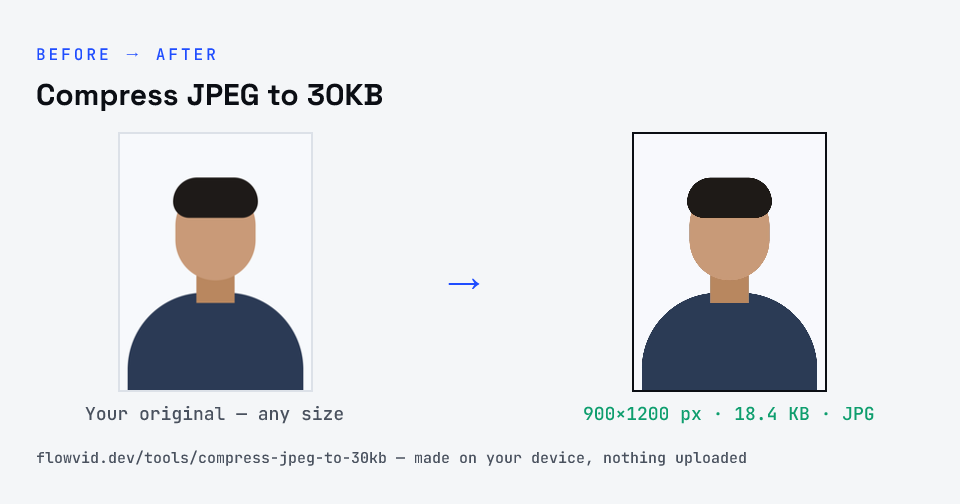
Example photo compressed to 18.4 KB — under 30 KB — as a JPG
Example photo compressed to 18.4 KB — under 30 KB — as a JPG.
Before and after: an original photo and the same photo made to 30 KB (18.4 KB) with Compress JPEG to 30KB
Compress JPEG to 30KB size guide: target 30 KB, max 30 KB, JPG

How to compress jpeg to 30kb

  1. Drop your image in, or click to browse and select it.
  2. The tool automatically finds the highest quality that still fits under 30KB.
  3. Check the live preview and the final file size.
  4. Download your optimised image — ready to upload.

What you can use it for

  • Application photos with a 30KB maximum
  • JPG thumbnails for directories and ID cards
  • Re-sizing a JPG that a portal rejected at 40KB
  • Small JPG attachments for low-bandwidth sharing

Why use FlowVid Tools

  • Private by design — your image is processed on your own device and is never uploaded to any server.
  • Completely free and unlimited — no daily cap, no watermark, no sign-up.
  • Fast — drop your image, get the result in seconds. No queues, no waiting.

Supported formats

This tool accepts JPG, PNG, WebP, HEIC as input and gives you a 30KB image as output. Everything happens on your device in seconds — your file is never uploaded, so there is nothing for anyone to keep.

Generation loss: why the starting JPEG matters

JPEG compression is lossy, and the losses stack. Each time a JPG is opened and saved again, the encoder makes fresh approximations on top of the previous ones. After a few rounds — a chat app, an editor, a screenshot — faint blocks and colour smudges start to show, and they eat into a 30KB budget because the encoder treats them as detail.

So the best 30KB file comes from the best source: the photo straight from the camera, or the highest-quality copy you have. The tool re-encodes it only once, at the single quality setting that fits.

FAQ

Frequently asked questions

01

Can I compress an already-compressed JPEG to 30KB?

Yes, but the result depends on what's left. A JPG that has been forwarded or re-saved several times carries blocky artefacts that get worse with every pass. If you can, go back to the original photo; if not, the tool still fits it under 30KB at the highest quality possible.
02

Is 30KB enough for a passport-style photo?

Yes. A head-and-shoulders JPG cropped to around 300×400 pixels compresses to 30KB with a clean, natural look. Detailed backgrounds are the main thing that pushes quality down, so a plain wall behind you helps.
03

Does compressing to 30KB remove the photo's location data?

Yes. The JPG is re-encoded from the pixels, so camera metadata such as GPS location and the phone model doesn't carry over into the downloaded file.
04

Why not just pick 20KB to be safe?

Because the form would have accepted more detail. Going under the limit doesn't make an upload more likely to pass; it only makes the photo softer. Use the exact cap the notice states.
05

Can a signature JPEG be compressed to 30KB?

Easily — a cropped signature on white paper usually needs far less than 30KB, so the result is a clean JPG comfortably inside the limit. If the form wants a minimum size too, use a band page instead.
06

Is my photo uploaded anywhere?

No. The tool runs inside your browser, so your photo is read and processed on your own phone or computer and never sent to our servers or anyone else's. We never receive it, so we can't see, keep or share it — which makes it safe for sensitive documents like Aadhaar, PAN, passports and bank statements.
07

Is this tool really free? Is there a daily limit?

Yes, it's free with no daily limit. Because the work happens on your device, an extra photo costs us nothing — so there's no cap, no watermark and no account needed. Process as many files as you like.
Nearby sizes

Need a different size?

Related

More tools you might need

Edit & resize

Resize, crop, rotate & compress PDF

Jump to a size

Compress to a specific size