
Compress tool

Compress JPEG to 50KB — Free JPG Compressor for Forms

If a form wants your photo as a JPG under 50KB, this is the shortest route: drop the JPEG in, get it back just below 50KB, upload. The re-encode happens in your browser, and because the file is rebuilt from its pixels, camera metadata like location is left behind. HEIC photos from an iPhone are converted to JPG on the way.

To compress a JPEG to 50KB, upload the JPG and the tool re-encodes it at the highest quality that still fits below 50 kilobytes, then lets you download it. 50KB is the photo limit on many Indian forms, and a cropped portrait JPG at that size keeps its sharpness and natural colour.

100% private — your images never leave your device. No upload, no sign-up. Check it yourself: once this page loads, it works with your internet switched off.

target ≤ 50 KBon-device · not uploaded

Drop your image here

or click to browse

accepts: JPG, PNG, WebP, HEIC

Unlimited and free · processed on this device · nothing is uploaded

Required photo dimensions and file sizes differ between forms and change over time. This tool helps you hit a common target, but always verify the exact requirement on the official form or notification before you submit.

Example

What the result looks like

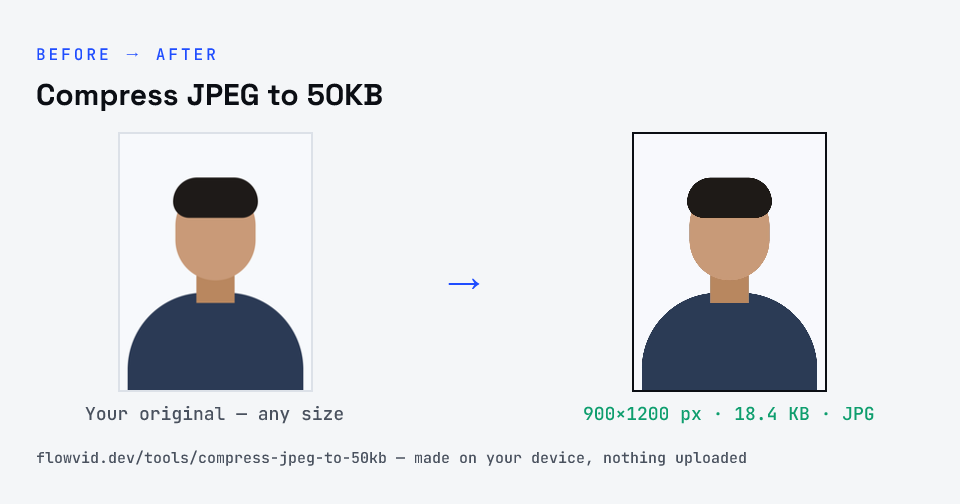
Example photo compressed to 18.4 KB — under 50 KB — as a JPG
Example photo compressed to 18.4 KB — under 50 KB — as a JPG.
Before and after: an original photo and the same photo made to 50 KB (18.4 KB) with Compress JPEG to 50KB
Compress JPEG to 50KB size guide: target 50 KB, max 50 KB, JPG

How to compress jpeg to 50kb

  1. Drop your image in, or click to browse and select it.
  2. The tool automatically finds the highest quality that still fits under 50KB.
  3. Check the live preview and the final file size.
  4. Download your optimised image — ready to upload.

What you can use it for

  • Exam, PAN and admission forms asking for a JPG under 50KB
  • Converting an iPhone HEIC photo to a 50KB JPG
  • Removing camera metadata while shrinking a photo
  • Email signatures and small JPG attachments

Why use FlowVid Tools

  • Private by design — your image is processed on your own device and is never uploaded to any server.
  • Completely free and unlimited — no daily cap, no watermark, no sign-up.
  • Fast — drop your image, get the result in seconds. No queues, no waiting.

Supported formats

This tool accepts JPG, PNG, WebP, HEIC as input and gives you a 50KB image as output. Everything happens on your device in seconds — your file is never uploaded, so there is nothing for anyone to keep.

What changes inside a JPEG compressed to 50KB

Three things: the quality setting drops to whatever fits, the pixel size shrinks if the original was much larger than 50KB can describe, and the metadata block — camera model, date, often GPS — is gone, because the file is re-encoded from scratch. Your photo looks the same at normal size; it simply carries far less data.

What doesn't change is the crop and orientation. If the form needs a different frame, crop first, then compress.

FAQ

Frequently asked questions

01

My form says JPG only — is the output really a .jpg?

Yes. The file downloads as a standard JPEG with a .jpg extension, the format portals mean by 'JPG/JPEG only'. JPG and JPEG are two names for the same thing.
02

Can I compress an iPhone photo to a 50KB JPEG?

Yes. iPhones often save photos as HEIC, which many portals refuse. Upload the HEIC directly and the tool converts it to JPEG and compresses it under 50KB in one step.
03

What dimensions should a 50KB JPEG be?

Whatever the form specifies, if it gives pixels. Otherwise, a portrait around 400 to 600 pixels wide is ideal: big enough to look sharp, small enough that 50KB covers it at high quality.
04

Why is my 50KB JPEG rejected for being the wrong size?

Check whether the form also sets pixel dimensions or a minimum file size. A JPG can be under 50KB and still fail a '200×230 px' or 'at least 20KB' rule. For a band, use the 20KB to 50KB resizer; for pixels, use the matching exam page or the pixel resizer.
05

Will the 50KB JPEG keep its colours?

Yes. Colours stay true at 50KB for normal photos; JPEG mainly sheds fine texture, not overall colour. If a portal shows the photo washed out, the original was likely shot under yellow indoor light — retake it in daylight.
06

Is my photo uploaded anywhere?

No. The tool runs inside your browser, so your photo is read and processed on your own phone or computer and never sent to our servers or anyone else's. We never receive it, so we can't see, keep or share it — which makes it safe for sensitive documents like Aadhaar, PAN, passports and bank statements.
07

Is this tool really free? Is there a daily limit?

Yes, it's free with no daily limit. Because the work happens on your device, an extra photo costs us nothing — so there's no cap, no watermark and no account needed. Process as many files as you like.
Nearby sizes

Need a different size?

Related

More tools you might need

Edit & resize

Resize, crop, rotate & compress PDF

Jump to a size

Compress to a specific size