
Compress tool

Compress JPEG to 40KB — Free, Exact JPG Size

Some forms cap photos at 40KB, and others say 50KB but reject files right at the edge — 40KB gives a sensible margin either way. Upload a JPG and the tool tunes it to just under 40KB. You don't need to know what quality setting that takes; the tool works it out from the actual file.

To compress a JPEG to 40KB, upload the JPG and the tool searches for the highest quality setting that keeps the file below 40 kilobytes, then gives you the download. 40KB is roomy for a portrait, so most photos come out looking unchanged. The size you see on the result card is the exact file size.

100% private — your images never leave your device. No upload, no sign-up. Check it yourself: once this page loads, it works with your internet switched off.

target ≤ 40 KBon-device · not uploaded

Drop your image here

or click to browse

accepts: JPG, PNG, WebP, HEIC

Unlimited and free · processed on this device · nothing is uploaded

Required photo dimensions and file sizes differ between forms and change over time. This tool helps you hit a common target, but always verify the exact requirement on the official form or notification before you submit.

Example

What the result looks like

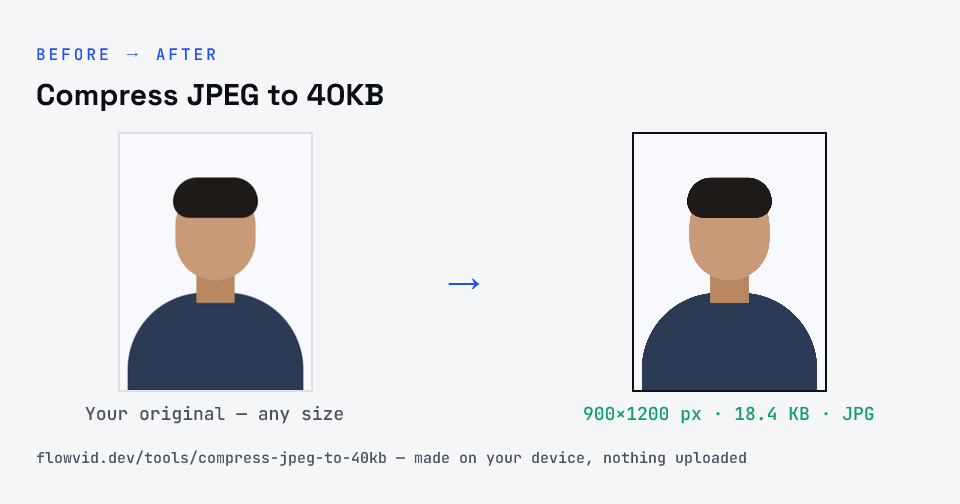
Example photo compressed to 18.4 KB — under 40 KB — as a JPG
Example photo compressed to 18.4 KB — under 40 KB — as a JPG.
Before and after: an original photo and the same photo made to 40 KB (18.4 KB) with Compress JPEG to 40KB
Compress JPEG to 40KB size guide: target 40 KB, max 40 KB, JPG

How to compress jpeg to 40kb

  1. Drop your image in, or click to browse and select it.
  2. The tool automatically finds the highest quality that still fits under 40KB.
  3. Check the live preview and the final file size.
  4. Download your optimised image — ready to upload.

What you can use it for

  • Forms with a 40KB photo limit
  • A margin-of-safety JPG for a 50KB cap
  • Small, sharp JPGs for staff ID or membership cards
  • Profile photos for portals with modest limits

Why use FlowVid Tools

  • Private by design — your image is processed on your own device and is never uploaded to any server.
  • Completely free and unlimited — no daily cap, no watermark, no sign-up.
  • Fast — drop your image, get the result in seconds. No queues, no waiting.

Supported formats

This tool accepts JPG, PNG, WebP, HEIC as input and gives you a 40KB image as output. Everything happens on your device in seconds — your file is never uploaded, so there is nothing for anyone to keep.

Quality setting vs file size

JPEG quality and file size are linked but not interchangeable. Quality says how faithfully each block of the picture is stored; size is what that costs for this particular image. A plain photo and a busy one saved at the same quality can differ several times over in KB.

That's why a fixed slider is guesswork when a form names a number. This page works backwards from 40KB: it measures real output, moves the quality up or down, and keeps the best version that's under the limit.

FAQ

Frequently asked questions

01

Is "quality 40" the same as a 40KB JPEG?

No. The quality number is a setting from 0 to 100 that controls how much detail the encoder keeps; kilobytes are the resulting file size. A large photo at quality 40 can still be hundreds of KB, while a small one at quality 90 can be under 40KB. This tool targets the file size.
02

My form says 50KB — should I use 40KB instead?

Only if 50KB uploads have failed for you. Most portals accept a file right up to the limit, and 50KB keeps a little more detail. 40KB is useful when a portal counts kilobytes strictly or the notice says 'less than 50 KB'.
03

Can I compress a PNG to a 40KB JPEG here?

Yes. PNG, WebP and HEIC are converted to JPEG on the way through, which is usually where the biggest saving comes from. Transparent areas in a PNG don't carry over into a JPG.
04

How long does compressing a JPEG to 40KB take?

About a second for a typical phone photo. The tool tries a handful of quality settings on your device and stops at the best one that fits, so there's no upload or queue to wait for.
05

Why does my file manager show a slightly different size?

File managers round sizes, and some count 1KB as 1,024 bytes. The tool counts 1KB as 1,000 bytes, the stricter reading for a limit, so a file under 40KB here is under 40KB however it's measured.
06

Is my photo uploaded anywhere?

No. The tool runs inside your browser, so your photo is read and processed on your own phone or computer and never sent to our servers or anyone else's. We never receive it, so we can't see, keep or share it — which makes it safe for sensitive documents like Aadhaar, PAN, passports and bank statements.
07

Is this tool really free? Is there a daily limit?

Yes, it's free with no daily limit. Because the work happens on your device, an extra photo costs us nothing — so there's no cap, no watermark and no account needed. Process as many files as you like.
Nearby sizes

Need a different size?

Related

More tools you might need

Edit & resize

Resize, crop, rotate & compress PDF

Jump to a size

Compress to a specific size