
Government tool

SBI CBO Photo, Signature, Thumb & Declaration Resizer — Free

Prepare all four SBI CBO uploads on one page. Pick Photo, Signature, Left thumb or Declaration above the upload box, or drop the file in and the tool switches to the right one. Each is saved at the preferred pixels and inside its KB range. Nothing is uploaded.

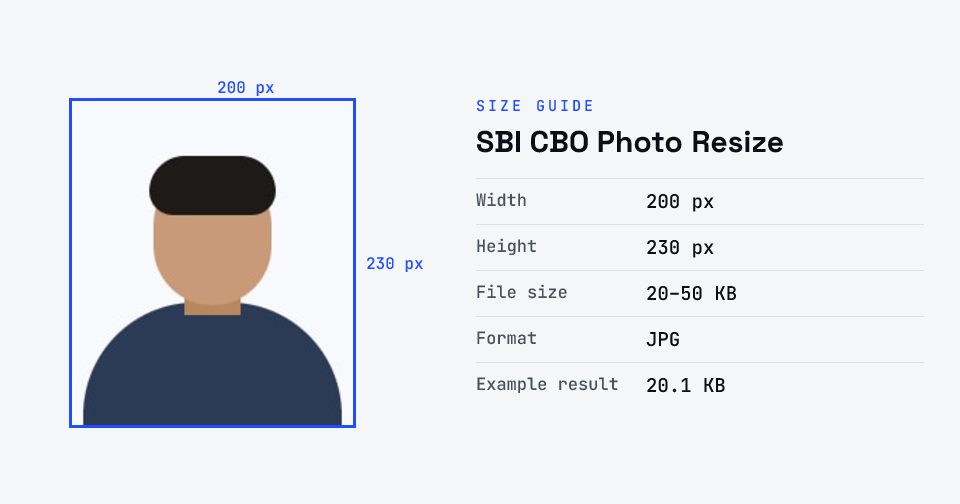
For SBI Circle Based Officer (CRPD/CBO/2025-26/18), the photo is 200 × 230 pixels, 20–50 KB; the signature 140 × 60 pixels, 10–20 KB, in black ink and not in capitals; the left thumb impression 240 × 240 pixels, 20–50 KB; and the handwritten declaration 800 × 400 pixels, 50–100 KB — all JPG/JPEG. A live photo is also captured by webcam or phone during registration.

100% private — your images never leave your device. No upload, no sign-up. Check it yourself: once this page loads, it works with your internet switched off.

200×230 · 50KBon-device · not uploaded

What are you uploading?

200×230 px · 20–50 KB · JPG

File size — choose what your form needs

Drop your image here

or click to browse

accepts: JPG, PNG, WebP, HEIC

Unlimited and free · processed on this device · nothing is uploaded

Upload sizes this page makes
UploadSizeFile sizeFormat
Photo200 × 230 px20–50 KBJPG
Signature140 × 60 px10–20 KBJPG
Left thumb240 × 240 px, 200 DPI20–50 KBJPG
Declaration800 × 400 px, 200 DPI50–100 KBJPG

Checked against the official notice · last checked 31 Oct 2026

Pixel sizes are “preferred” in the annexure (Annexure-II, p. 7); the KB ranges are firm. A corrigendum dated 11 Feb 2026 exists; check it for changes before the next cycle.

Notices change between cycles — if yours says something different, follow your notice.

Compare every exam's photo & signature size →

UploadPixelsFile sizeNotes
Photograph200 × 230 (4.5 × 3.5 cm)20–50 KBColour, light background, no cap or dark glasses; a live photo is also captured
Signature140 × 6010–20 KBBlack ink on white paper, not in capitals
Left thumb impression240 × 240 (3 × 3 cm, 200 DPI)20–50 KBBlack or blue ink on white paper
Handwritten declaration800 × 400 (10 × 5 cm, 200 DPI)50–100 KBIn English, own handwriting, not in capitals
SBI Circle Based Officer (CRPD/CBO/2025-26/18) scanning guidelines (checked 31 Oct 2026).
Example

What the result looks like

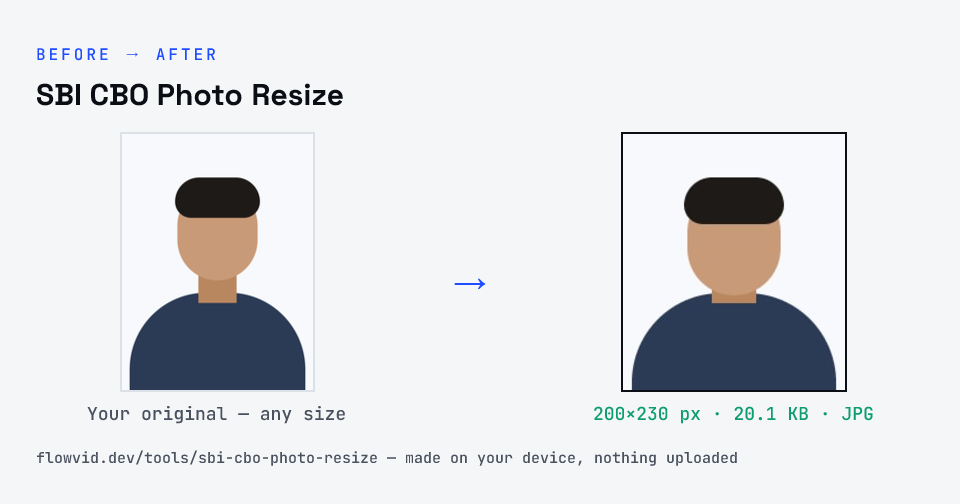
Example SBI CBO photo resized to 200×230 px, 20.1 KB JPG
Example SBI CBO photo resized to 200×230 px, 20.1 KB JPG.
Before and after: an original photo and the same photo made to 200×230 px (20.1 KB) with SBI CBO Photo Resize
SBI CBO Photo Resize size guide: 200 × 230 px, 20–50 KB, JPG

How to sbi cbo photo resize

  1. Upload your photo or signature.
  2. The tool resizes it to 200×230 px and compresses it to the required size.
  3. Preview the result and check the dimensions and file size.
  4. Download the ready-to-upload file.

What you can use it for

  • SBI Circle Based Officer (CRPD/CBO/2025-26/18) applications
  • Other recruitments on the IBPS platform with the same annexure
  • Left thumb impression and handwritten declaration uploads
  • Re-uploading a rejected document

Why use FlowVid Tools

  • Private by design — your image is processed on your own device and is never uploaded to any server.
  • Completely free and unlimited — no daily cap, no watermark, no sign-up.
  • Fast — drop your image, get the result in seconds. No queues, no waiting.

Supported formats

This tool accepts JPG, PNG, WebP, HEIC as input and gives you a 200×230 px as output. Everything happens on your device in seconds — your file is never uploaded, so there is nothing for anyone to keep.

FAQ

Frequently asked questions

01

What is the SBI CBO photo size?

200 × 230 pixels (preferred), 20–50 KB, JPG/JPEG — a recent passport-style colour photo on a light background. A live photo is also captured through your webcam or phone during registration.
02

What should the handwritten declaration say?

Copy the text printed in the notification, in English, in your own handwriting with black ink on white paper — not in capitals. Upload it with Declaration selected; it comes out 800 × 400 px, 50–100 KB.
03

Can I choose the file size, and will the photo stay sharp?

Yes. Pick the size your form needs from the selector above the upload box. The photo is rendered at a high resolution and the exact proportions your form expects, so it stays sharp — a larger size keeps more detail, while a smaller size softens the image slightly rather than turning blocky. The default matches the size most forms ask for.
04

Can I resize my signature and left thumb impression and handwritten declaration here too?

Yes. This page prepares every upload the form asks for — photo, signature, left thumb impression and handwritten declaration. Pick one under "What are you uploading?" above the upload box and each is made at its own size (Photo 200×230 px, 20–50 KB; Signature 140×60 px, 10–20 KB; Left thumb 240×240 px, 20–50 KB; Declaration 800×400 px, 50–100 KB). If you upload a signature while Photo is selected (or a photo while Signature is selected), the tool spots it and switches for you.
05

Is my photo uploaded anywhere?

No. The tool runs inside your browser, so your photo is read and processed on your own phone or computer and never sent to our servers or anyone else's. We never receive it, so we can't see, keep or share it — which makes it safe for sensitive documents like Aadhaar, PAN, passports and bank statements.
06

Is this tool really free? Is there a daily limit?

Yes, it's free with no daily limit. Because the work happens on your device, an extra photo costs us nothing — so there's no cap, no watermark and no account needed. Process as many files as you like.
Related

More tools you might need

Exams

Find your exam or ID form

Edit & resize

Resize, crop, rotate & compress PDF

Jump to a size

Compress to a specific size